
Best Free Explainer Video Makers (2026) — Compared
Most “free” explainer video makers add a watermark, cap your export at 360p or 720p, or ask for a credit card before you can download. We compared the popular options on what actually matters — watermark, sign-up, export quality, and the kind of explainer each one is good at — including the free tool we build ourselves, with its limits stated plainly.
Disclosure: SketchValley makes one of the tools below. Competitor plans and prices change often — we describe their free plans as they are generally offered, so check each site’s pricing page before you decide.
The short answer
What makes a good explainer video maker?
An explainer video has one job: make a product or idea clear in 30 to 90 seconds. The tools that do this well share a few things — they get you from script to scenes fast, they keep motion calm and readable instead of flashy, they handle a voiceover and background music without making you an audio engineer, and they export a clean, high-resolution file you can actually use. Watch for the free-plan catches: watermarks, low export resolution, and features locked behind a trial.
1. SketchValley Explainer Video Maker — best free option with no watermark
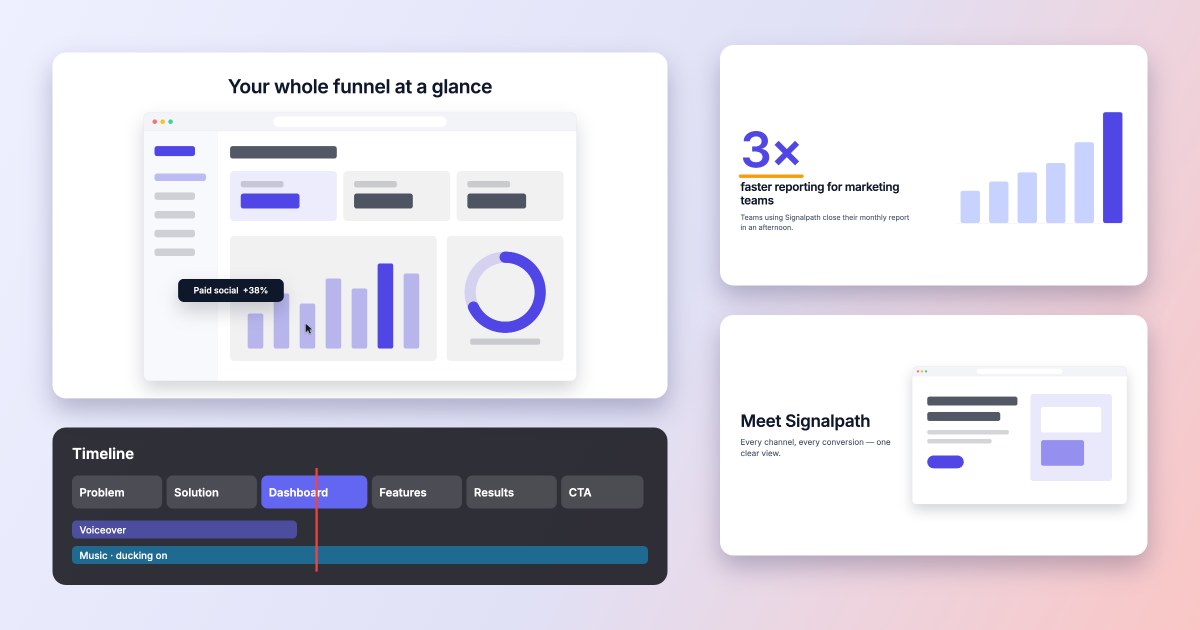
Our free explainer video maker is built for product, SaaS, feature and marketing explainers. Paste a storyboard or script and it becomes timed, animated scenes; start from a template like Problem → Solution → How it works → CTA; add your logo, screenshots and brand colors, and drop in free animated illustrations (APIs, databases, secure login, charts) that play in your brand colour. Motion presets are deliberately restrained — word and line reveals, screen reveals, charts that grow, logo reveals — and background music automatically ducks under your voiceover. Everything renders on your own device, so nothing is uploaded and exports are often faster than real time.
Best for: SaaS and product explainers, feature launches, onboarding videos, vertical social videos, anyone who has a storyboard already.
Honest limits: no animated characters (the animated illustrations cover tech and product ideas, not people), no stock footage library and no AI voices yet. Your own video clips work (inside a browser frame, with 3D tilt); shape masks are on the roadmap.
2. Powtoon — best known for animated explainer characters
Best for: the classic cartoon explainer — characters, props and scenes for training, education and internal comms.
Watch out for: the free plan brands your video and limits length and export quality; removing the watermark needs a paid plan.
3. Animaker — best character library on a free plan
Best for: customizable 2D characters with expressions and actions, plus lots of ready-made templates.
Watch out for: free exports are watermarked and lower resolution; the interface takes some learning.
4. Vyond — best for professional character animation (paid)
Best for: polished business and training videos with talking characters and lip-sync.
Watch out for: there’s no free plan for real use — after the trial it’s a paid subscription aimed at companies.
5. Canva Video — best if your team already uses Canva
Best for: simple animated slides and social videos alongside the rest of your Canva designs.
Watch out for: animation is basic (page-level presets), there’s no real timeline for timing motion, and premium elements add watermarks unless you upgrade.
6. Renderforest — best for template-driven explainer and logo videos
Best for: picking a ready-made explainer or logo-animation template and swapping in your text.
Watch out for: free exports are watermarked and low resolution; customization is limited to what each template allows.
7. InVideo — best for stock-footage videos from a script
Best for: turning a script into a video built from stock footage, with AI voiceover options.
Watch out for: results look like stock-footage montages rather than designed product explainers; free exports carry a watermark.
8. VideoScribe — best for whiteboard explainers
Best for: the hand-drawing-on-a-whiteboard style that works well for education and storytelling.
Watch out for: it’s one visual style, and you’ll need a subscription after the trial.
Comparison table
| Tool | Free plan | Watermark on free | Sign-up needed | Storyboard import | Files stay on your device | Best for |
|---|---|---|---|---|---|---|
| SketchValley | ✅ Full | ✅ None | ✅ No | ✅ CSV & text | ✅ Yes | Product & SaaS explainers |
| Powtoon | ✅ Limited | ❌ Yes | ❌ Yes | ❌ | ❌ Cloud | Character explainers |
| Animaker | ✅ Limited | ❌ Yes | ❌ Yes | ❌ | ❌ Cloud | Custom characters |
| Vyond | ⚠️ Trial | — | ❌ Yes | ❌ | ❌ Cloud | Business training |
| Canva | ✅ Yes | ⚠️ Premium items | ❌ Yes | ❌ | ❌ Cloud | Simple animated slides |
| Renderforest | ✅ Limited | ❌ Yes | ❌ Yes | ❌ | ❌ Cloud | Template & logo videos |
| InVideo | ✅ Limited | ❌ Yes | ❌ Yes | ⚠️ Script only | ❌ Cloud | Stock-footage videos |
| VideoScribe | ⚠️ Trial | — | ❌ Yes | ❌ | ❌ Cloud / desktop | Whiteboard explainers |
Which should you choose?
- You need a clean product or SaaS explainer, free, without a watermark → SketchValley Explainer Video Maker
- You already have a storyboard or script → SketchValley (imports it directly)
- You want cartoon characters → Powtoon or Animaker (Vyond if budget allows)
- Your team designs in Canva → Canva Video
- You want a quick logo or template video → Renderforest
- You want a whiteboard drawing style → VideoScribe
Tips for a better explainer video, whichever tool you use
- Write the script first. About 150 words per minute of narration; a 60-second explainer is roughly 140–160 words.
- One idea per scene, and give each scene time to be read — a short headline needs at least 2–3 seconds on screen.
- Animate less. Let one primary element move per scene; supporting elements can simply fade.
- Keep music under the voice. Around 20–30% of the voiceover level while someone is speaking.
- End with one clear call to action — a single button or URL, not three.
Make your explainer video free
Storyboard or script in, polished animated video out. No sign-up, no watermark, nothing uploaded.
Open the Explainer Video Maker →Product updates
We improve the Explainer Video Maker continuously. Here’s what changed, newest first.
Captions, social formats, live product mocks and water ripples
- NewAuto captions from your narration: pill, word-by-word or outline style, top, middle or bottom — burned into the video, plus an .srt download for YouTube.
- NewExport 16:9, 9:16, 1:1 and 4:5 versions in one go; each is re-composed for its frame and your project isn’t changed.
- NewNew Effects panel with a water ripple: ripple the whole background, one selected image or shape, or an area you place anywhere — raindrops or rings from the centre.
- NewLiquid lens (Effects panel): soft blobs drift and merge, and the image underneath shows only inside them — on a selected image, the background or anywhere — or as a Liquid reveal transition, where scattered drops grow and merge into the full picture.
- ImprovedBrowser, phone and feature card mocks now show real content that animates: a landing page with a cursor click, an app screen with a count-up and notification, a card with a progress bar.
- ImprovedNew colour picker everywhere: colour box, hue, hex, eyedropper and your recent colours.
Animated illustrations inside your video
- NewNew Motion panel: add any of 58 SketchValley animated illustrations (API request, database, login, cloud sync, AI chatbot, charts, market forecasting and more) and they play inside your video.
- NewAnimated illustrations take your brand colour automatically; change the colour or outline, or switch outlines off for the isometric style, in the right panel.
- NewOpen any illustration from sketchvalley.com/motion/ straight into a new video with “Use in an explainer video”.
3D tilt and perspective
- NewTilt any element in 3D — video windows, screenshots, UI mockups, text and shapes — with presets (Turn left, Turn right, Lay back, Hero angle) or exact Tilt X / Tilt Y angles and a Subtle, Normal or Strong perspective.
- NewNew 3D animations: 3D Flip In, 3D Flip Out, Tilt Reveal, and Tilt to Flat to swing a tilted screen face-on.
- ImprovedVideo clips can now use the full set of entrance, exit and attention animations.
Video clips in a Chrome browser frame
- NewAdd your own screen recordings and product videos — MP4, MOV and WebM — straight from the Media panel or by dropping them on the canvas.
- NewClips play inside a realistic Chrome window with your address and tab title, in light or dark — or a minimal bar, or no frame.
- NewAdjust the clip under the window: double-click it to drag and zoom, or set fit, zoom and position in the Design panel.
- NewTrim the start and end, change the speed (0.5×–2×), loop the clip and keep or mute its sound — the clip’s audio is included in your export.
- ImprovedExports show the exact video frame for every frame of your video, and placing a long clip lengthens its scene to fit.
Templates, examples and smarter storyboard import
- NewExplainer video templates on the tool page — Product, SaaS demo, Feature, Corporate and Social (9:16) open as complete, editable drafts.
- NewFour ready-made example videos you can open and edit: SaaS explainer, feature launch, vertical social ad and onboarding walkthrough.
- ImprovedChanging format (16:9 → 9:16, 1:1, 4:5) now re-composes scenes: text and visuals stack for vertical video instead of shrinking.
- ImprovedStoryboard import picks the first transition you mention, recognises problem statements from the narration, and keeps 12-word sentences as headlines.
- FixedStatistic scenes no longer repeat the big number in the label underneath.
Launch: storyboard to explainer video, in your browser
- NewImport a storyboard (CSV or text) — scene numbers, durations, narration, visuals, animation notes and transitions are detected automatically.
- NewPaste a script and get timed scenes, optionally fitted to 30, 60, 90 seconds or 2 minutes.
- New63 motion presets (entrance, exit, attention, text, logo, chart, UI) and 10 scene transitions with professional easing.
- NewTimeline with scenes, elements, voiceover and music; drag, trim, split, merge and snap.
- NewBackground music with fades, looping and automatic ducking under the voiceover; record a voiceover with your microphone.
- NewMP4 and WebM export up to 4K at 24–60 fps, rendered on your device — faster than real time in Chrome and Edge.
- NewBrand kit, Motion Check, scene timing assistant, undo/redo, autosave and project files.
Coming next
What we’re working on. Have a request? Tell us — it shapes the order.
Frequently asked questions
What is the best free explainer video maker?
It depends on the style you want. For character animation, Powtoon and Animaker are the best known, but their free plans add a watermark. For motion-graphics explainers (product UI, headlines, charts, logo reveals) with no watermark and no sign-up, SketchValley’s Explainer Video Maker is free and exports MP4 up to 4K in your browser.
Is there an explainer video maker with no watermark?
Yes. SketchValley’s Explainer Video Maker never adds a watermark and has no export limit. Canva’s free plan is also watermark-free as long as you only use free elements. Most other tools — Powtoon, Animaker, Renderforest, InVideo — add a watermark on their free plans.
Can I make an explainer video without signing up?
Yes. SketchValley’s Explainer Video Maker works without an account: open it, import a storyboard or pick a template, and export. Every other tool in this comparison asks you to create an account first.
Can I turn a storyboard into an explainer video automatically?
Yes. Paste or upload a storyboard (CSV or text) in SketchValley’s Explainer Video Maker and the scene numbers, durations, narration, visuals and transitions are detected and turned into animated scenes you can edit.
What is a good free alternative to Powtoon?
If you mainly need product, SaaS or marketing explainers built from text, UI, charts and your logo, SketchValley’s Explainer Video Maker is a free Powtoon alternative with no watermark or sign-up. If you need animated characters, Animaker’s free plan is closer to Powtoon’s style.